
Local Deep Research: The Free Open-Source Alternative to OpenAI's Deep Research

Your next creation starts with a sentence. — free credits on sign-up Bring my idea to life
Local Deep Research: The Free Open-Source Alternative to OpenAI's Deep Research
Finding reliable, sourced information has become a major challenge in the age of artificial intelligence. While generative AI models can sometimes invent references or hallucinate facts, advanced research tools like OpenAI's Deep Research offer a valuable solution. But this premium technology remains out of reach for many due to its high cost. Fortunately, an open-source alternative called Local Deep Research is shaking things up in 2025, offering similar capabilities with no subscription fees.
What is Local Deep Research and why is it revolutionary?
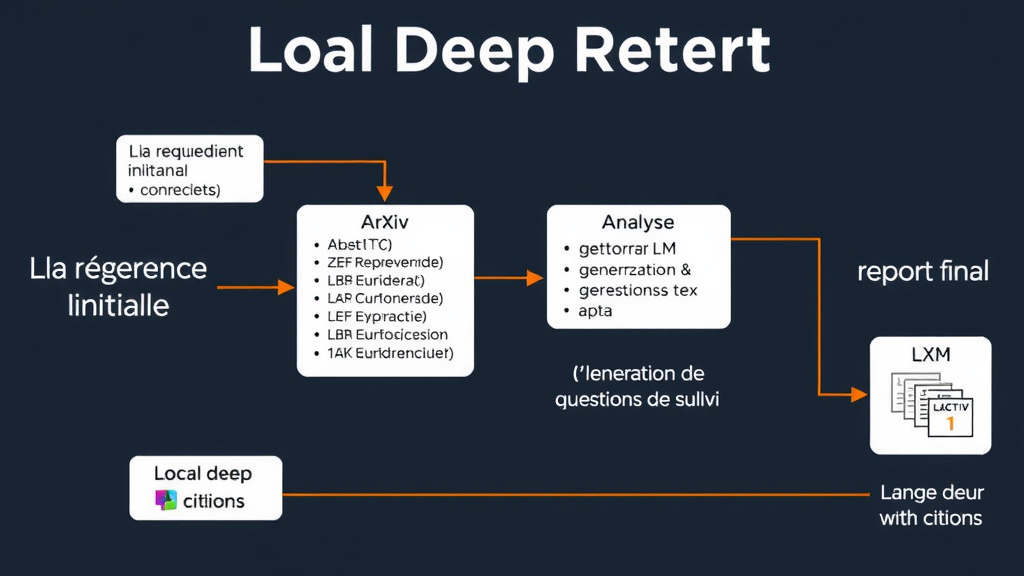
Local Deep Research is an open-source AI research assistant that works like a true digital detective. Unlike traditional LLMs, it performs iterative, in-depth searches by consulting various reliable sources like Wikipedia, arXiv, PubMed, or DuckDuckGo, then analyzes and synthesizes the gathered information to provide comprehensive, sourced answers.
The tool stands out for its ability to ask relevant follow-up questions to deepen its initial research, similar to OpenAI's Deep Research feature, but with a major advantage: you can host it for free on your own machine.
Key advantages over proprietary solutions
Privacy and total control
Unlike cloud services that may collect your search data, Local Deep Research can run entirely locally. Your queries and information stay on your machine, which is especially important for sensitive or confidential research.
Flexibility of information sources
The tool intelligently selects the best sources based on your query, whether it's scientific databases for technical questions or general search engines for broader information.
Systematic citation verification
One of Local Deep Research's strengths is its rigor in source verification. Unlike standard AI models that can hallucinate, each piece of information is linked to its original source, making it easy to verify the facts presented.
Integration of personal documents
Thanks to its built-in RAG (Retrieval-Augmented Generation) system, Local Deep Research can analyze your own documents, making it a personalized research assistant for exploring your PDFs, notes, or work documents.
Installing and configuring Local Deep Research
Installing this tool requires some technical knowledge, but it remains accessible to anyone familiar with the command line. Here are the main steps:
Technical prerequisites
- A computer with at least 16 GB of RAM for full local use
- Python installed on your system
- Git to clone the repository
- Ollama if you want to use LLM models locally
Installation steps
- Clone the GitHub repository:
git clone https://github.com/LearningCircuit/local-deep-research.git - Create and activate a Python virtual environment
- Install dependencies via
pip install -r requirements.txt - Configure the .env file with your API keys if necessary
- Launch the application with
python app.py
Once installed, the web interface is accessible via your browser at the local address (usually http://localhost:5000), offering an intuitive user experience with search history and the ability to export results to PDF.
| Configuration | Advantages | Disadvantages |
|---|---|---|
| 100% local with Ollama | Maximum privacy, no API costs | Requires a powerful computer, slower searches |
| Hybrid (local search + cloud LLM) | Good performance, cost/efficiency balance | Requires API keys (ChatGPT, Claude) |
| Full cloud | Optimal performance, modest hardware sufficient | API costs, less privacy |
Customization and integration of your documents
One of Local Deep Research's most powerful features is its ability to integrate your own document collections into the research process. This transforms the tool into a true personal assistant capable of analyzing your private data.
Creating custom collections
To add your documents, first create the necessary directories:
mkdir -p local_search_files/research_papers
mkdir -p local_search_files/personal_notes
Then, configure a local_collections.py file at the project root to define your collections. Each collection can have its own parameters like text chunk size (chunk_size) or the maximum number of results.
Supported document types
The tool supports a wide range of document formats:
- Text documents (.txt, .md)
- Office documents (.docx, .pptx, .xlsx)
- Archived web pages (.html)
- And many other formats depending on installed extensions
Optimizing performance and results
To get the most out of Local Deep Research, several parameters can be adjusted in the config.py file:
Key parameters to customize
- DEFAULT_MODEL: The LLM model used (mistral by default with Ollama)
- DEFAULT_TEMPERATURE: Controls the model's creativity (0.1 for factual answers)
- MAX_SEARCH_RESULTS: Maximum number of search results (increase for more exhaustive searches)
- search_tool: Automatic or manual selection of sources (wiki, arxiv, etc.)
These adjustments allow you to adapt the tool to different types of research, whether it's in-depth scientific exploration or quick summaries on general topics.
Practical use cases in 2025
Local Deep Research proves particularly useful in several professional and personal contexts:
Academic and scientific research
For researchers and students, the tool allows quick exploration of scientific literature on complex topics like advanced artificial intelligence, providing precise, verifiable references. The ability to integrate personal research papers into the research process is especially valuable.
Technology and competitive intelligence
Professionals can use Local Deep Research to track innovations in their sector, getting sourced summaries on the latest developments. For example, a search on "latest advances in fusion energy" will automatically generate follow-up questions like "private investments in nuclear fusion 2024" or "fusion reactor commercialization timelines".
Internal document analysis
For companies with large amounts of internal documentation, the tool can be used to quickly extract relevant information from reports, presentations, or meeting notes, combining this analysis with external sources.
Current limitations and future prospects
Although promising, Local Deep Research still has some limitations:
Current challenges
- Still a young project with a mainly English interface
- Variable performance depending on the LLM models used
- Relatively long processing times (1-5 minutes per search)
- Technical installation that may deter novice users
Expected developments
As an open-source project, Local Deep Research benefits from community contributions. Expected improvements include:
- Improved multilingual support
- More intuitive user interface
- Performance optimizations
- Integration of new data sources
Conclusion: a credible alternative to premium solutions
Local Deep Research represents a significant step forward in democratizing advanced AI research tools. By offering features similar to OpenAI's Deep Research for free, it makes in-depth, sourced research accessible to everyone.
For professionals, researchers, or simply curious individuals concerned about the quality of their information sources, this open-source tool is a credible alternative to expensive proprietary solutions. Its open-source nature also guarantees its continuous evolution thanks to community contributions.
If you're looking to deepen your knowledge of advanced AI tools without breaking the bank, Local Deep Research is certainly worth your attention.
Want to try it yourself? Sign up for free on Roboto to discover other innovative AI tools that can transform the way you search and create content.